PUBG Cheat Features
Player visuals, loot visuals, world visuals and misc options for PUBG: BATTLEGROUNDS on Windows PC.
In-game examples
Real PUBG matches showing player ESP through cover, aim overlays and scope highlights.
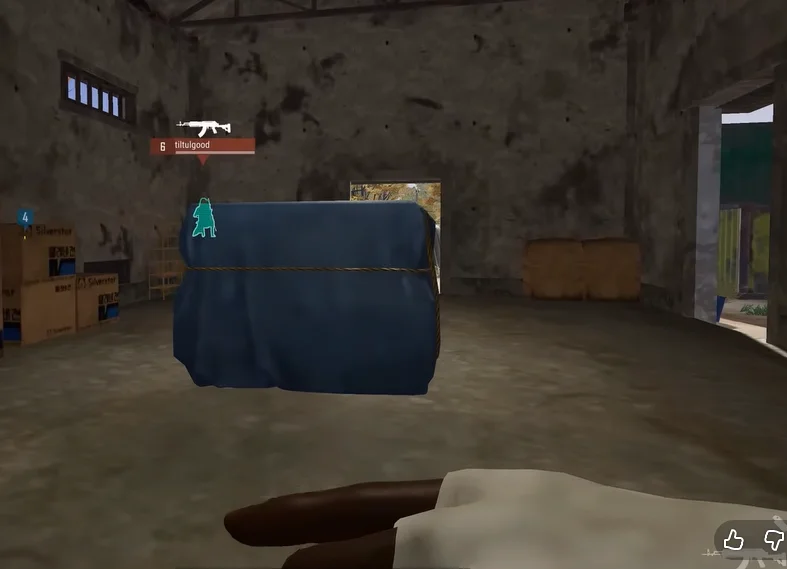
Player ESP through cover
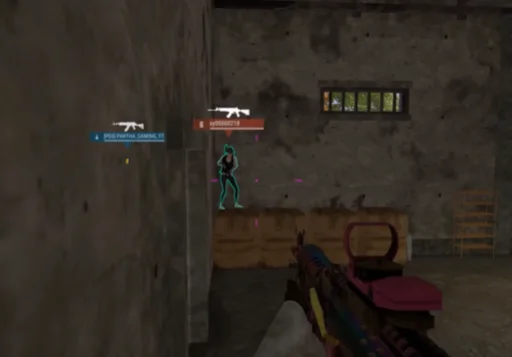
ESP with aim assist overlay
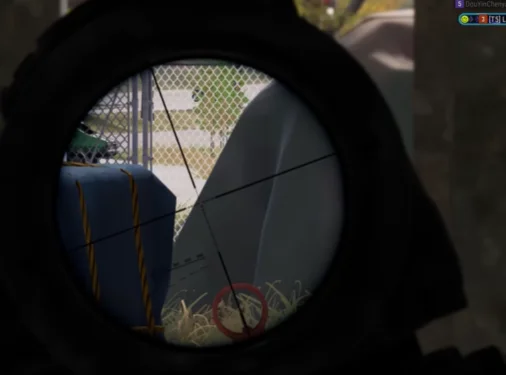
Long-range target highlight
Player Visuals
Player ESP
Displays relevant player information through the game environment where supported.
Learn moreVisible Check
Distinguishes visible targets from targets obstructed by cover when the build supports it.
Learn moreShow Bots / AI
Displays or identifies AI-controlled bots on supported modes.
Learn morePlayer Boxes
Displays boxes around players for quick target identification.
Learn moreBox Style
Supports 2D, corner and filled box styles where available in the menu.
Health
Shows player health using health text and health bar overlays when supported.
Learn moreSkeleton
Displays a player skeleton overlay to read pose and movement direction.
Learn moreKnocked Players
Highlights knocked players so you can track finish opportunities.
Equipment
Displays relevant player equipment information when available.
Weapon
Shows the player's current weapon where the build supports it.
Learn moreAmmo
Displays relevant ammunition information for equipped weapons.
Snaplines
Draws lines between you and relevant targets for quick orientation.
Kill Score
Displays kill-related information where the product provides it.
Player Level
Shows player level information when exposed by the game client.
Distance
Shows distance to relevant players for range decisions.
Learn moreMaximum Distance
Lets you configure the maximum ESP detection and display distance.
Enemy Only
Focuses the visual system on enemy players when squad filtering is supported.
Learn moreLoot Visuals
Loot ESP
Highlights relevant loot items across the map when supported.
Learn moreLoot Filter
Filter which loot categories appear so your screen stays readable.
Learn moreArmor
Highlights armor items including vests and helmets.
Blade
Highlights melee and blade weapons on the ground.
Pistols
Highlights pistol-class weapons.
Submachine Guns
Highlights SMG weapons for close-range loadouts.
Shotguns
Highlights shotgun weapons for room clearing.
Rifles
Highlights assault and DMR rifles.
Snipers
Highlights bolt-action and sniper rifles.
Scopes
Highlights scopes and optics attachments.
Medicine
Highlights healing items and boost consumables.
Attachments
Highlights grips, muzzles, magazines and other attachments.
Grenades
Highlights throwable grenades and utility items.
World Visuals
Vehicles
Displays relevant vehicles on the map when supported.
Learn moreVehicle Information
Shows available vehicle data such as health and fuel where supported.
Airdrops
Marks airdrop crate locations on the map.
Learn moreAirdrop Content
Displays airdrop contents where the build exposes that data.
Corpses
Highlights player corpses for loot opportunities.
Corpse Content
Shows available corpse loot contents where supported.
Names
Displays relevant player names when available.
Grenade Detection
Highlights grenades or grenade-related warnings where supported.
Miscellaneous
Crosshair
Provides an additional customizable crosshair overlay.
Learn moreSpectators
Displays spectator-related information where the product supports it.
Learn moreCombat Mode
Combat-mode configuration for supported visual presets.
Combat Filter
Combat-related visual filtering options.
Colors
Customize supported visual colors in the menu.
Language
Menu languages: English and Russian.
HWID Spoofer
Hardware identifier tooling included where the package provides it. No guarantee of account safety.